

SpotBuds
Find your gym people
Real people, training near you
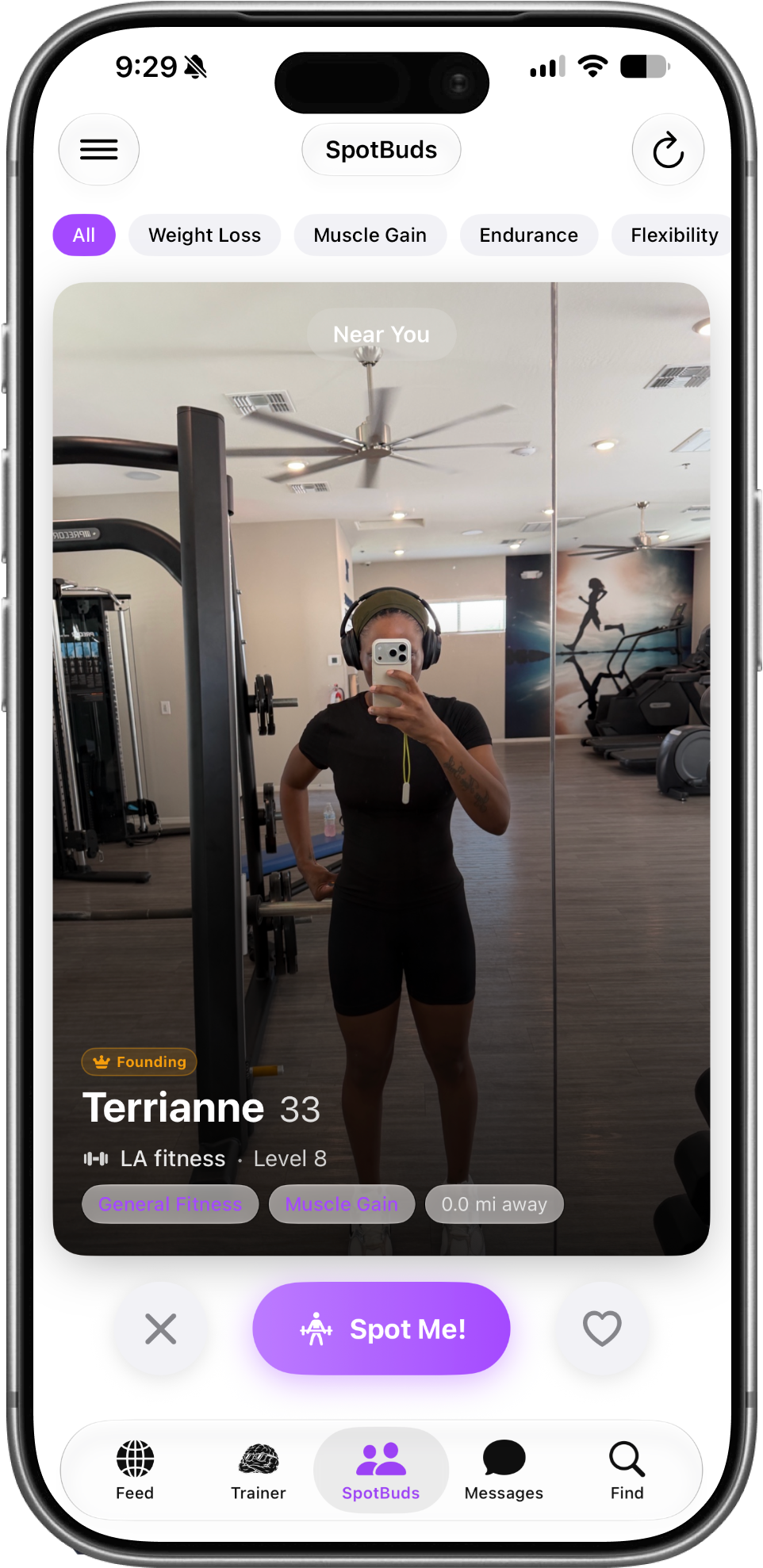
SpotBuds shows you one person at a time — no endless scrolling. Every card tells you what actually matters:
- Their photo and name & age
- "Near You" at the top when they're close by
- Their gym and their Level — earned from real logged workouts, so you know who's actually putting in the work
- Their goals as purple tags (Muscle Gain, Weight Loss, and more)
- How far away they are, in miles
- A gold Founding crown if they're a founding member (the first 500 users)
Filter chips

Match with people chasing the same thing
Tap a filter along the top to only see people with your goal:
All · Weight Loss · Muscle Gain · Endurance · Flexibility · General Fitness · Powerlifting · CrossFit · Sports
Tap All to open it back up to everyone.
3 Action Buttons
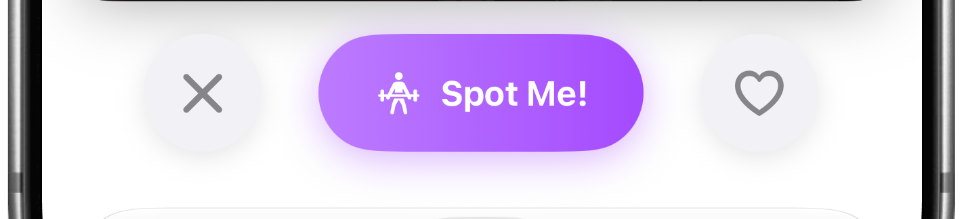
Three buttons. That's it.
- ✕ (Skip) — not a match. Next person.
- Spot Me! — the big purple button. This sends them a spot request, asking to train together.
- ♡ (Heart) — save them for later without sending a request yet. Tap again to unsave.
You can swipe, too. Swipe the card right to connect or left to skip, a SKIP label appears as you drag so you always know what's about to happen.
Spot Requests
You decide who trains with you
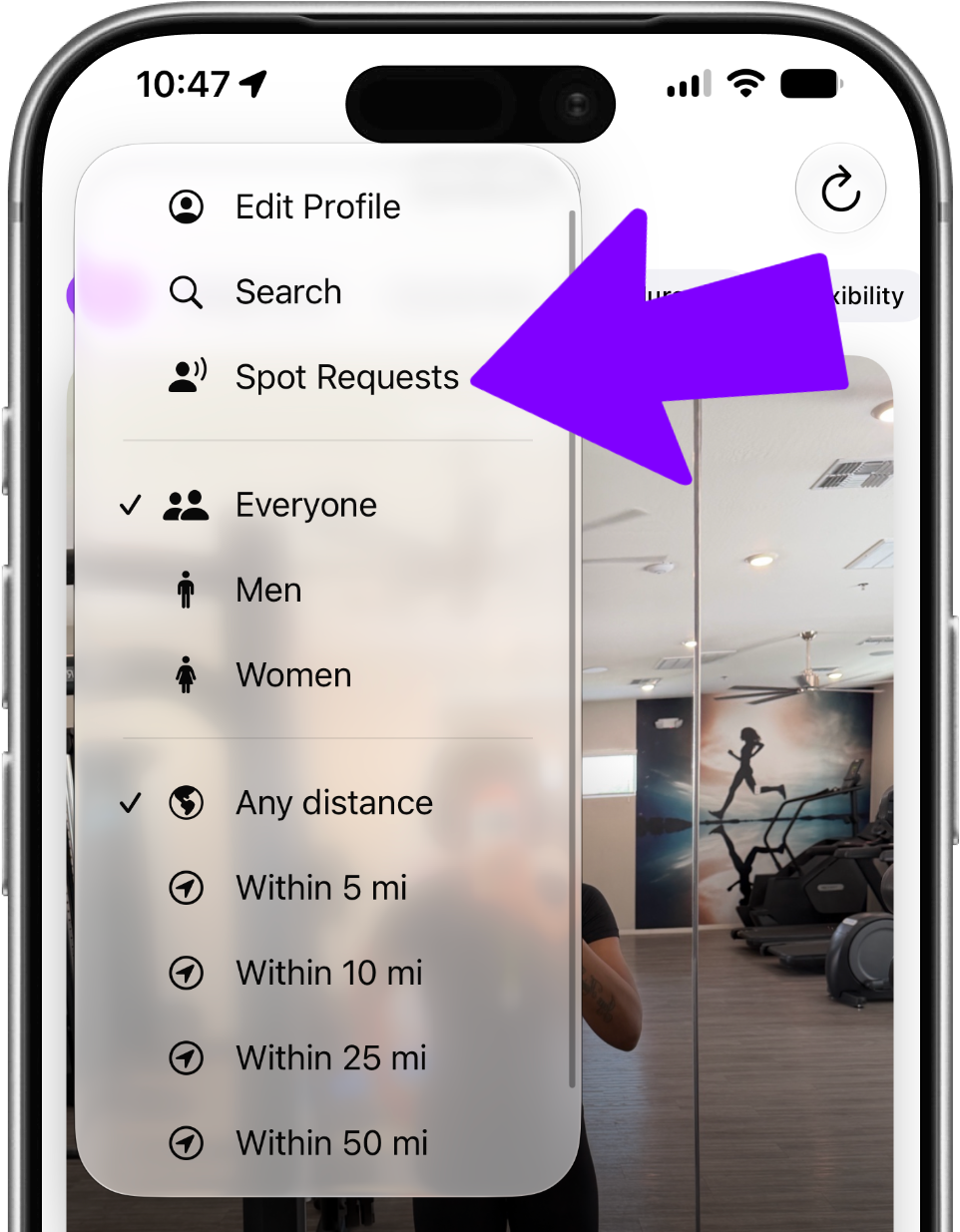
When someone taps Spot Me! on you, it lands in Spot Requests — open it from the ☰ menu (top left).
For each request you get two buttons:
- Approve — you're connected, and you can message each other
- Deny — it disappears, and they aren't told
Nobody reaches you without your say-so.
Match Celebration
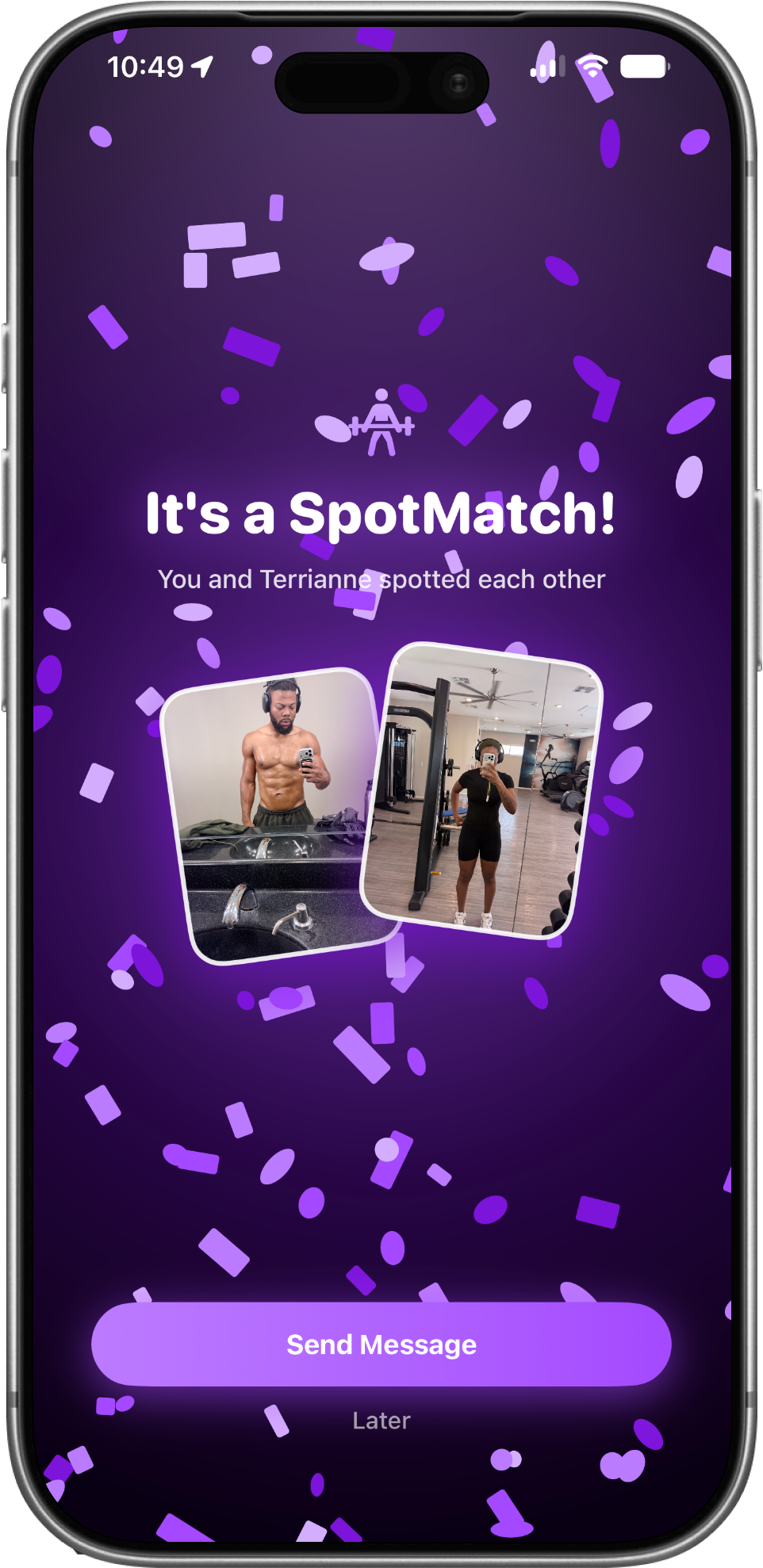
When it's a match, you'll know
Approve a request and a full-screen celebration fires with sound and confetti then you can jump straight into a chat or View Profile.
The menu (top-left)
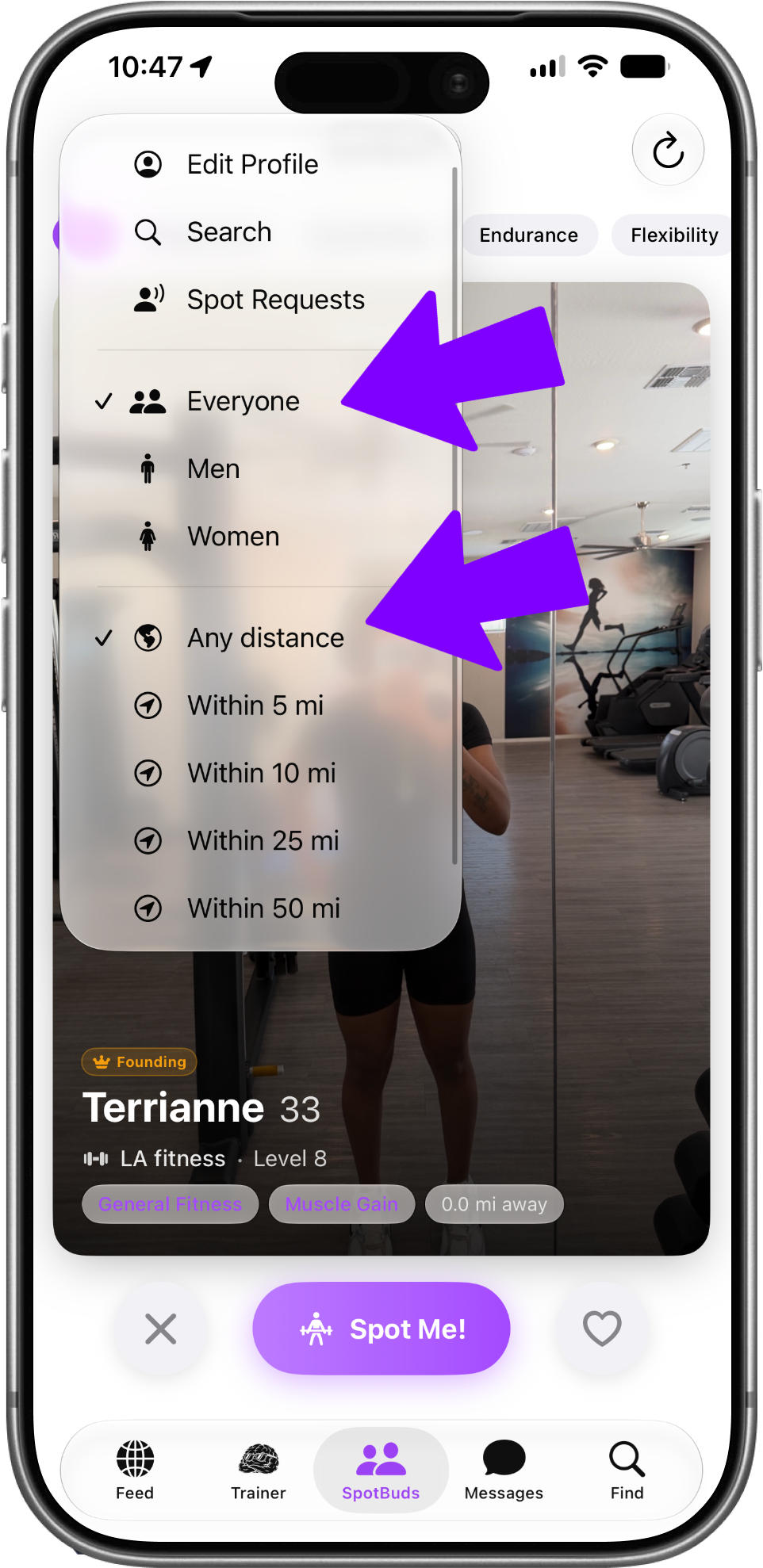
Everything else lives here
Tap ☰ in the top left for:
- Spot Requests — people waiting on your answer
- Leaderboard — today's step rankings
- Challenges — join a step challenge or tournament
- Search — find someone by name or @username
- Edit Profile — update your photo, bio, gym, and goals
- Show: Everyone / Men / Women — filter who appears in your deck
Refresh & empty state
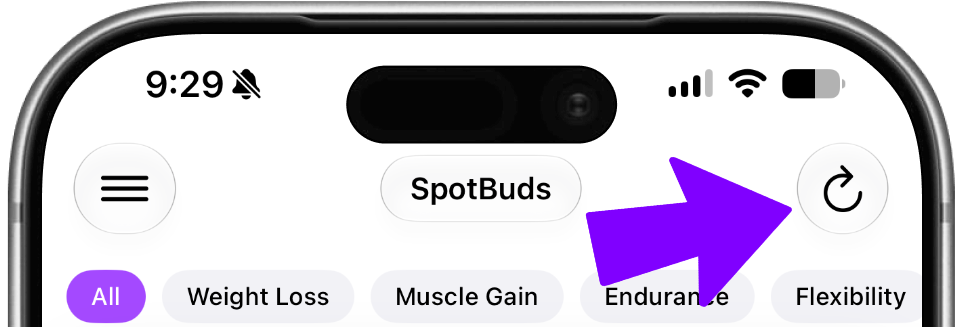
Out of cards? Pull in more.
Tap ↻ (top right) any time to pull in fresh people.
When you've gone through everyone close by, you'll see "You've seen everyone nearby!"
Check back later or widen your filters.
A full profile
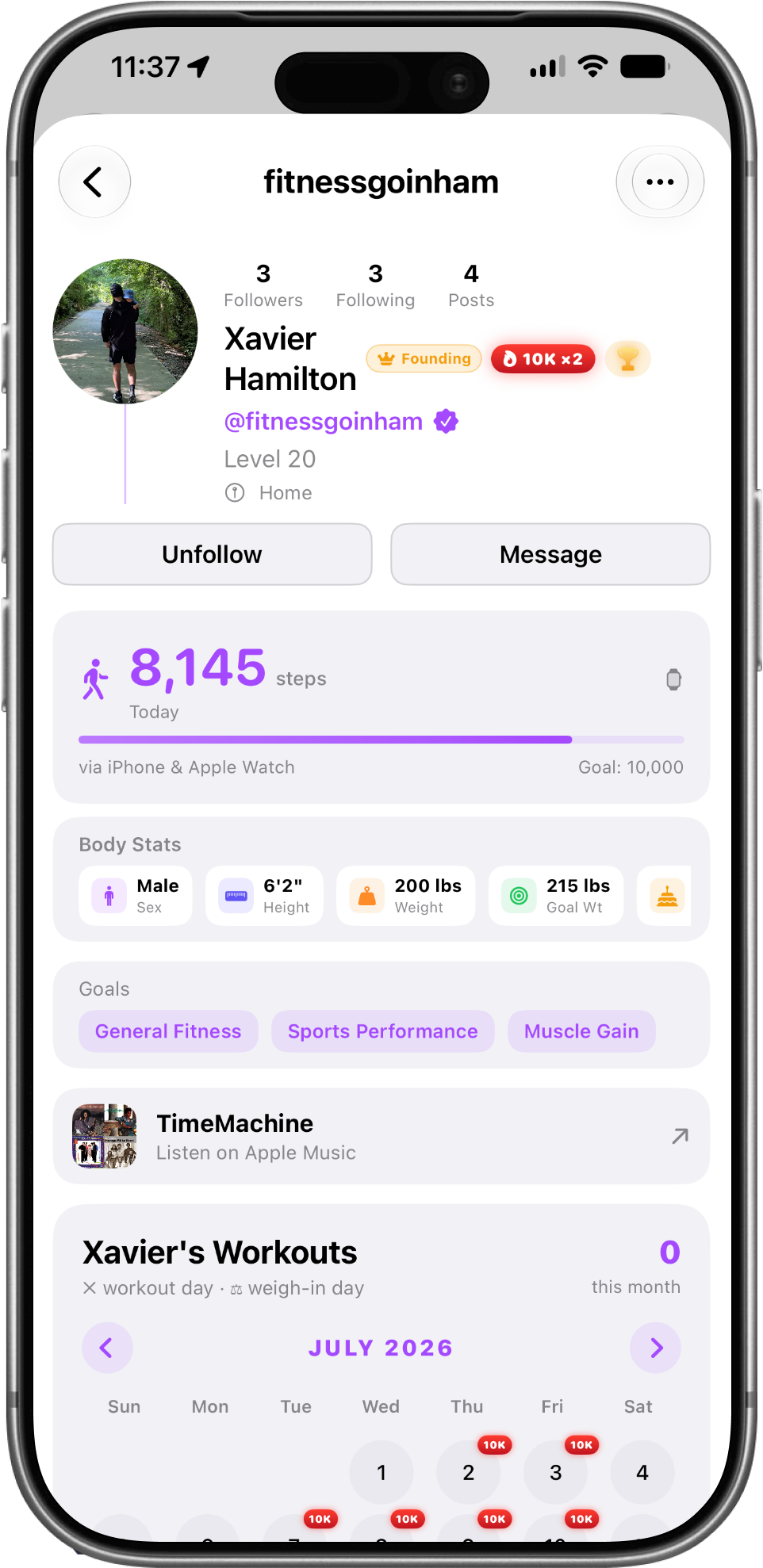
See who they really are before you reach out
Tap a card to open their full profile:
their bio, gym, goals, step level, workout calendar, trophies from tournaments they've won, and their workout playlist so you know if you'd actually train well together.me.