


Find
Everything worth doing, on one map
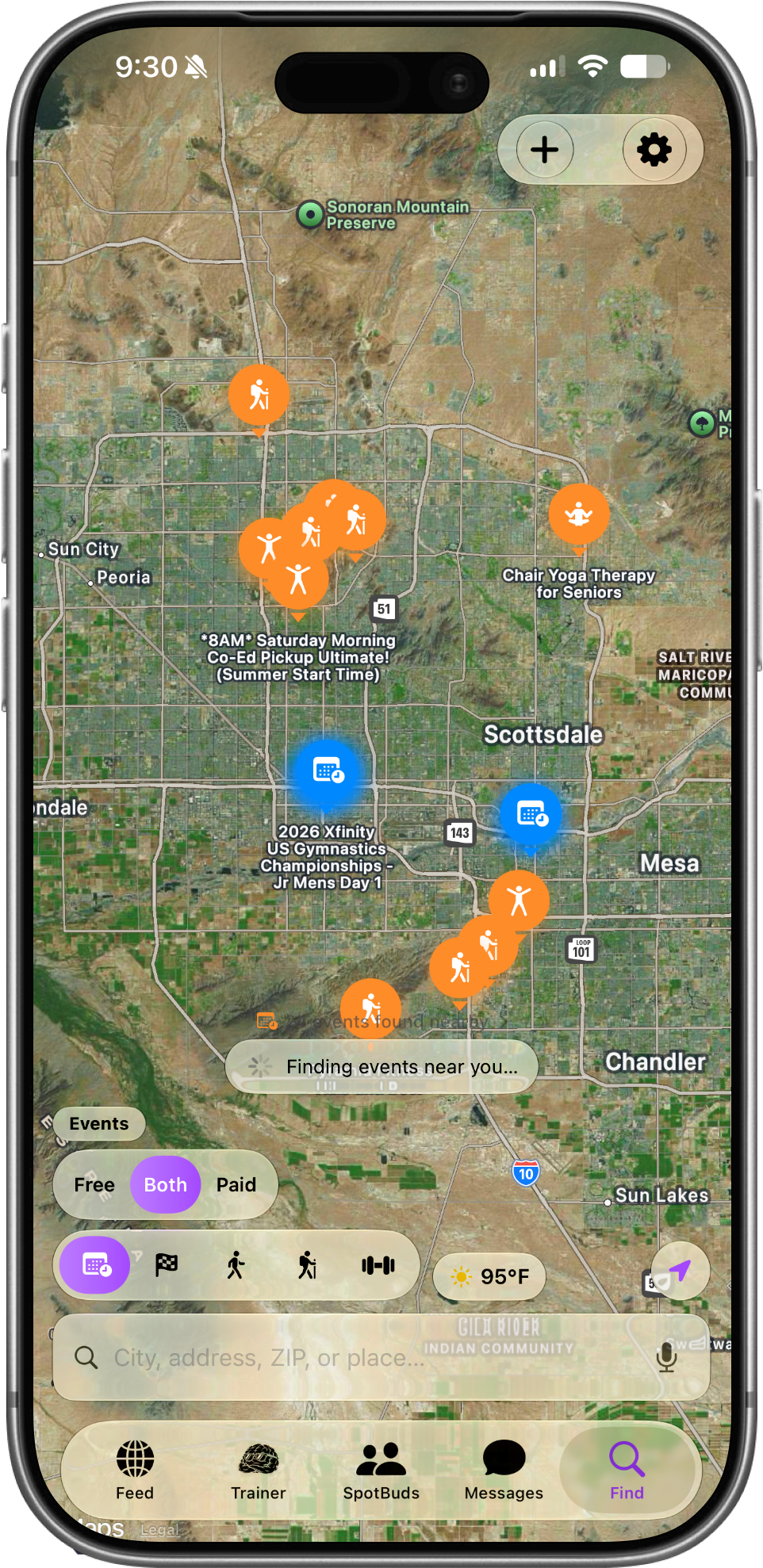
Your city's fitness scene, live
The Find tab is a real map of what's happening around you.
Pins drop in as they load, and each one is something you can actually go do.
Tap any pin to see the full details.
The Mode Toggle
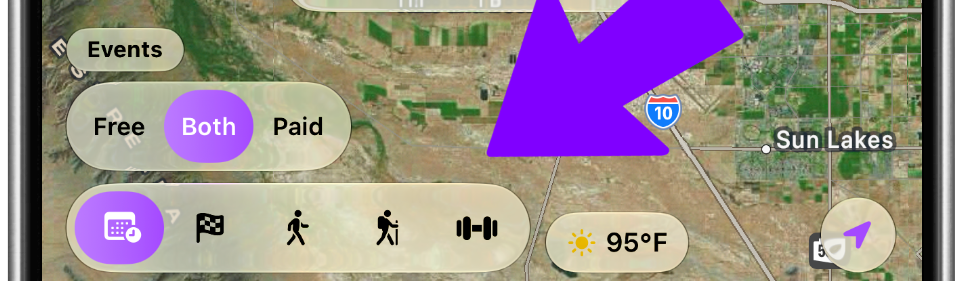
Five maps in one
The row of icons at the bottom switches what the map shows:
- 📅 Events — fitness events near you
- 🏁 Challenges — step challenges and tournaments
- 🚶 Routes — running and walking routes
- 🥾 Hikes — trails around you
- 🏋️ Gyms — gyms nearby
The selected mode turns purple, and you
Events mode + pin colors
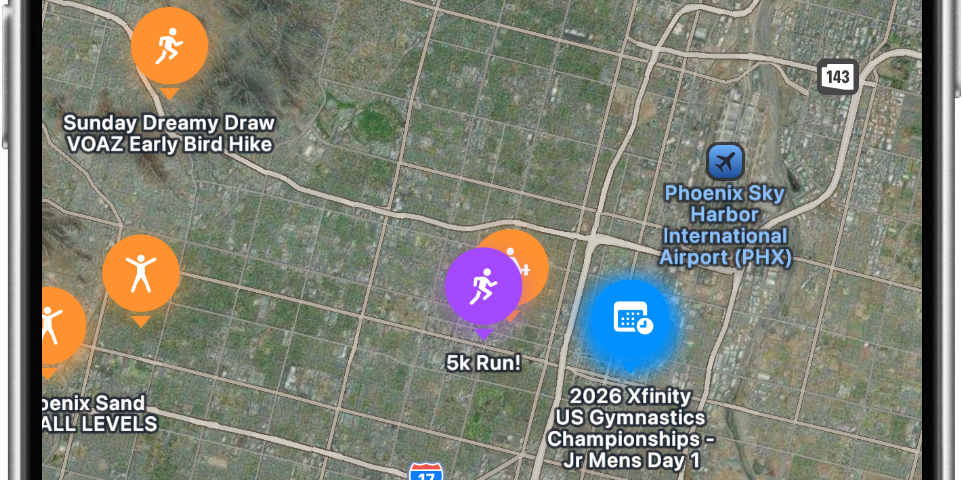
Know what a pin is before you tap it
Pin colors tell you where an event came from:
- 🟠 Orange — events found around your area
- 🔵 Blue — Ticketmaster events (big ticketed stuff)
- 🟣 Purple — community events, created by SpotBud members like you
You'll also see a "N events found nearby" button — tap it for the full list instead of hunting across the map.
Free / Both / Paid filter
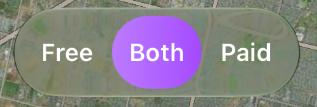
Only show what fits your budget
Tap Free, Both, or Paid to filter events by cost.
Handy when you just want something to do that doesn't cost anything.
The + button (create)
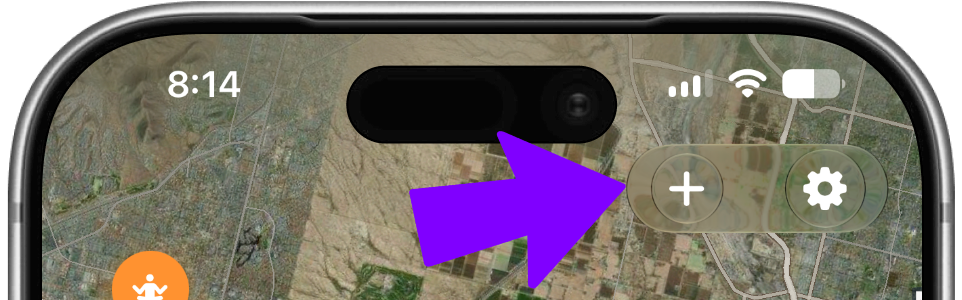
Put your own event on the map
The + button appears in Events and Challenges mode:
- In Events, it opens Create Event — add a title, photo, date, location, and whether it's free or paid. Your event drops on the map as a purple pin, and everyone who follows you gets notified.
- In Challenges, it opens Create Challenge so you can start a step challenge with friends.
(Creating events is a Founding Member feature.)
An event detail sheet
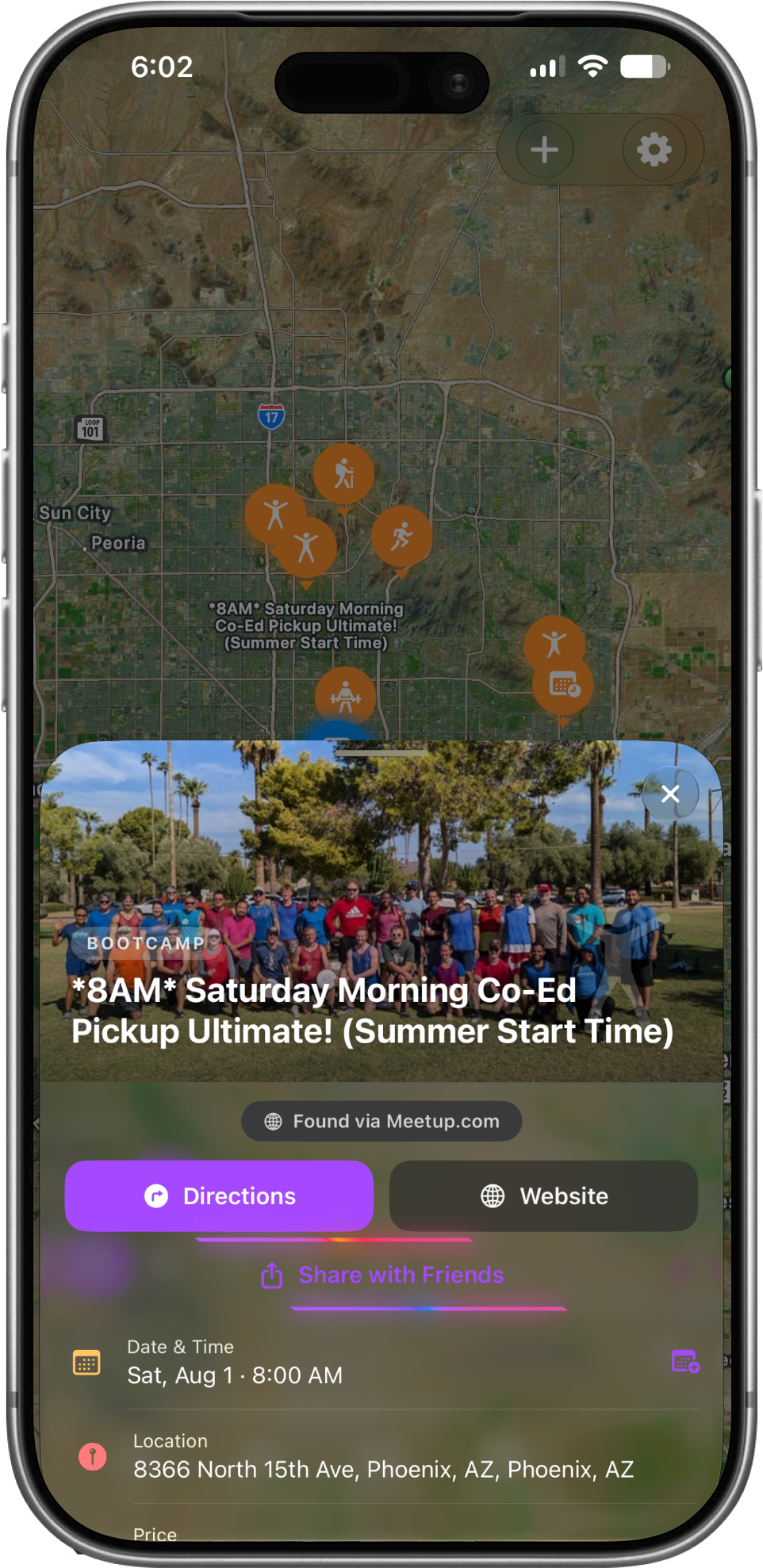
Everything you need to actually show up
Tap a pin to open it. You get the photo, date and time, address, price, and who's hosting — plus:
- Directions — opens it in Maps
- Open Link / Website — the event's own page
- Join Event — RSVP, and see who else from SpotBud is going
- Share with Friends — send it to anyone
On community events, the host can edit or delete it, and paid events let the host approve each person who asks to join.
Routes Mode
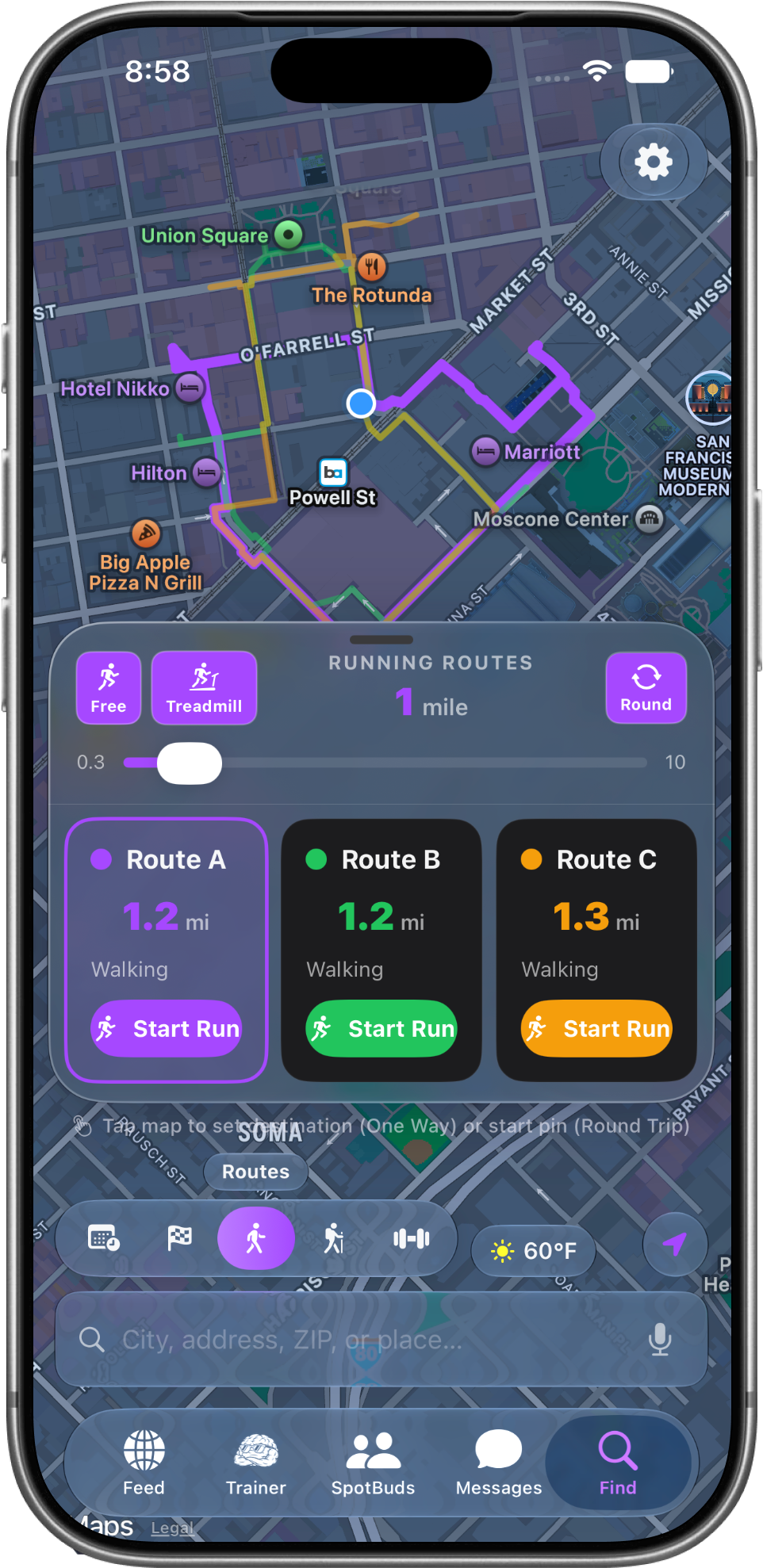
A route built for you, right now
Switch to Routes and SpotBud builds running or walking routes from wherever you're standing.
- Drag the mile slider (0.3–10 miles) to set your distance
- Pick Free, Treadmill, or Round (round trip — ends where you started)
- You get Route A, B, and C to choose from, each with its distance
- Tap Start Run and turn-by-turn navigation begins
- Tap the map to set a destination or move your start pin
Hikes mode + Filters
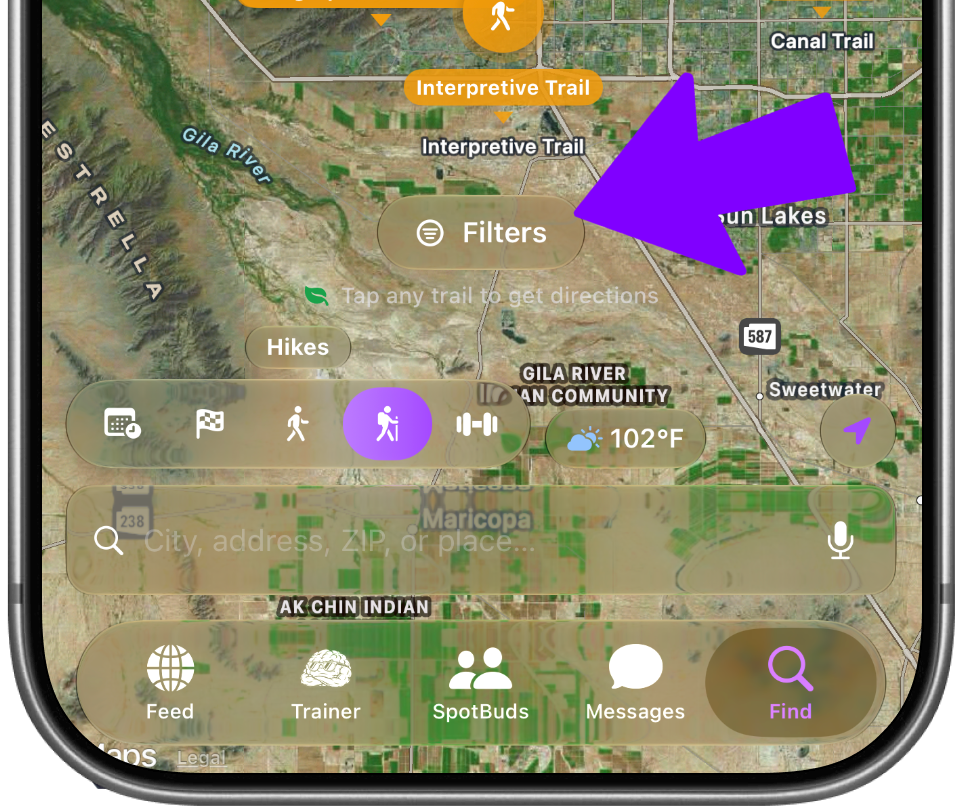
Find a trail that matches you
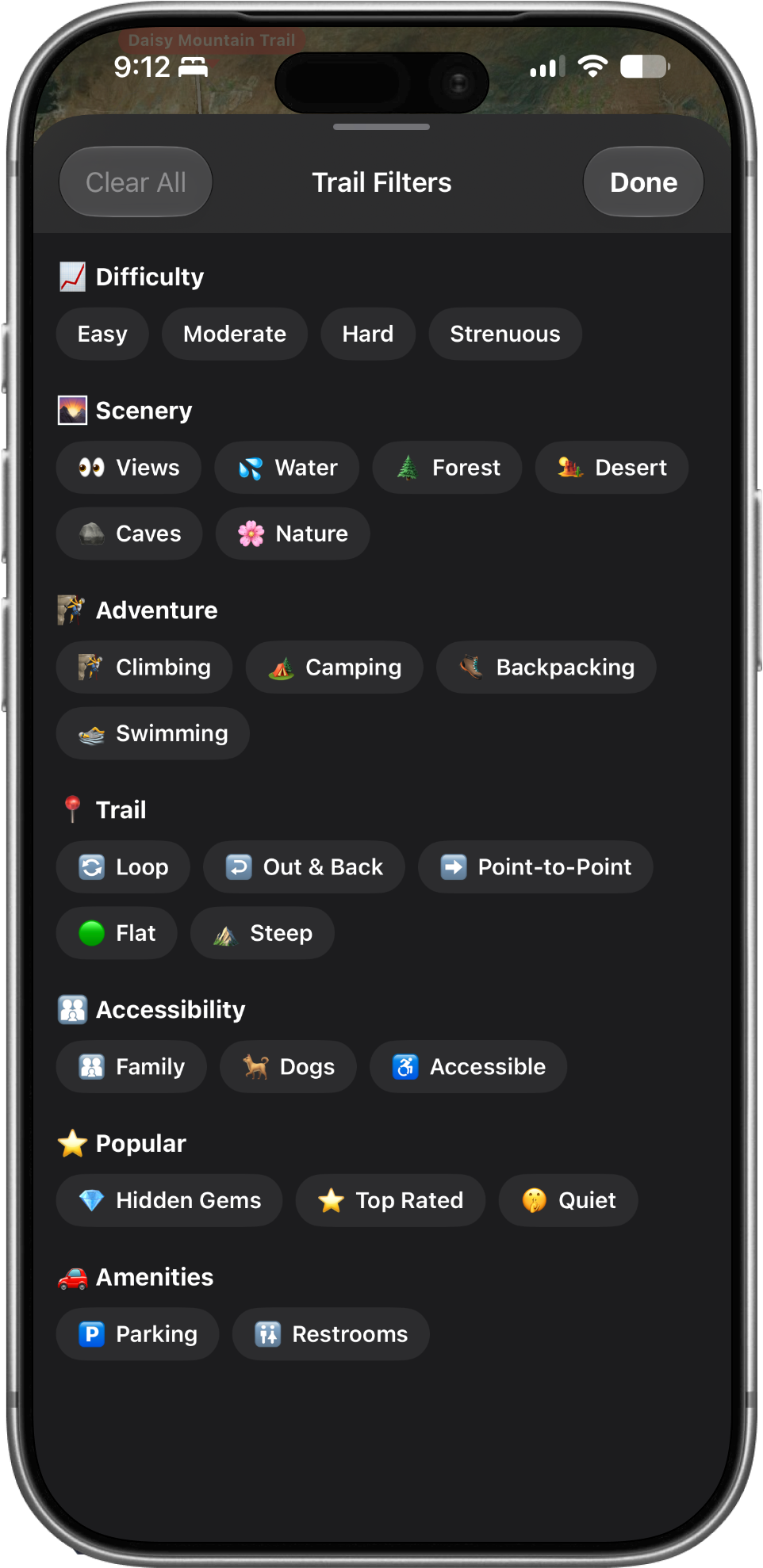
Hikes mode shows trails around you.
Tap Filters to narrow by difficulty, scenery, trail type, and more the button shows a count when filters are on.
Tap any trail to get directions.
Gyms mode + Filters
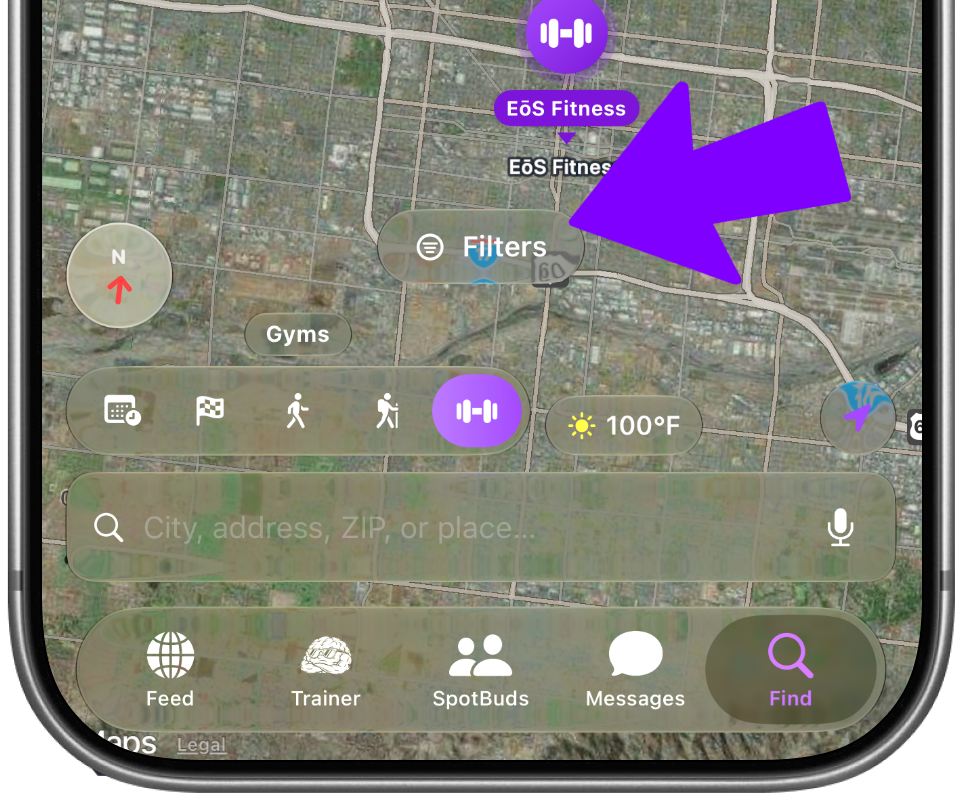
Find your next gym
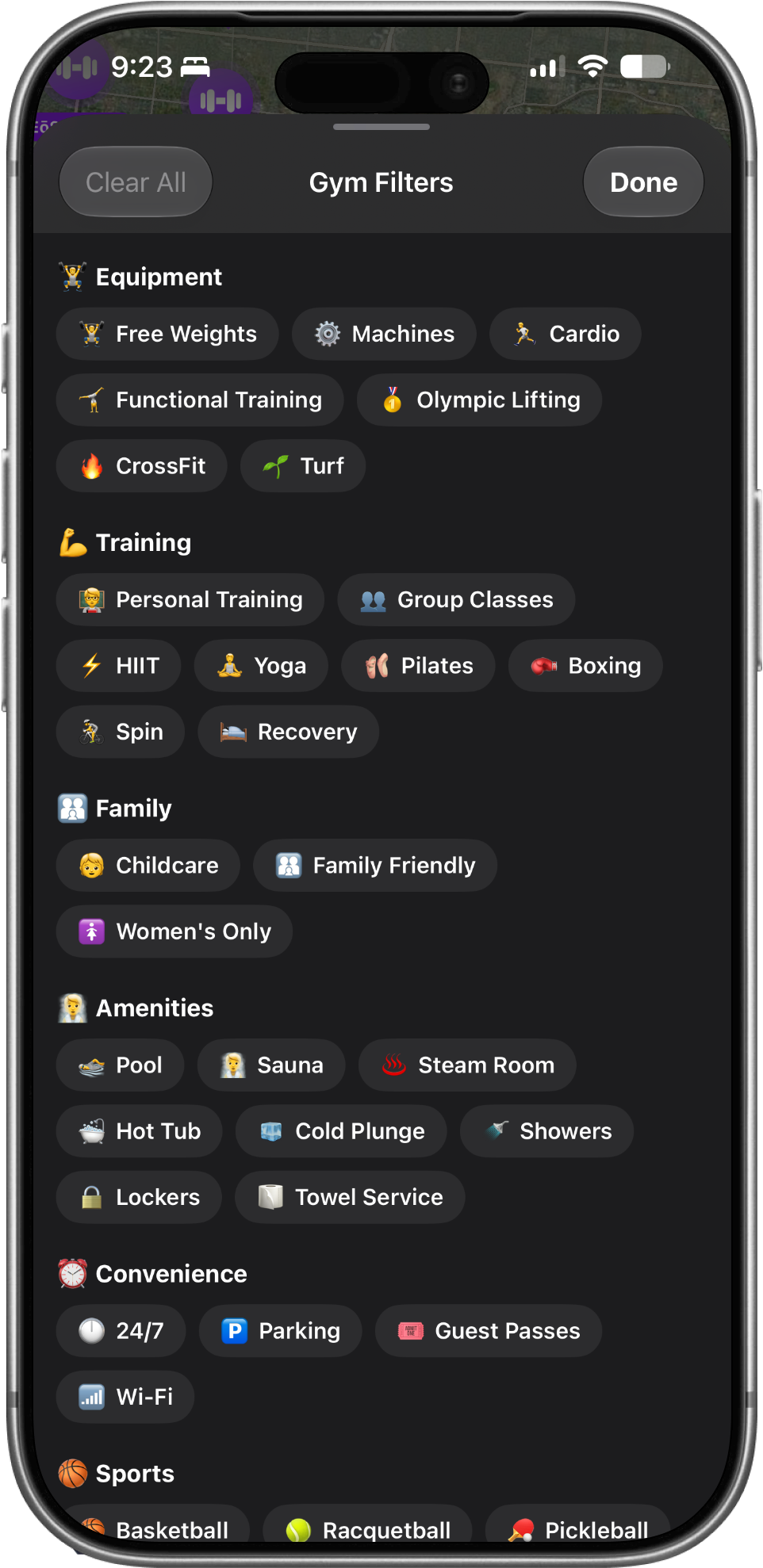
Gyms mode maps the gyms near you. Use Filters to narrow by equipment, amenities, and sports.
Open a gym for Call, Directions, and Maps and share it with a friend.
Search + Voice
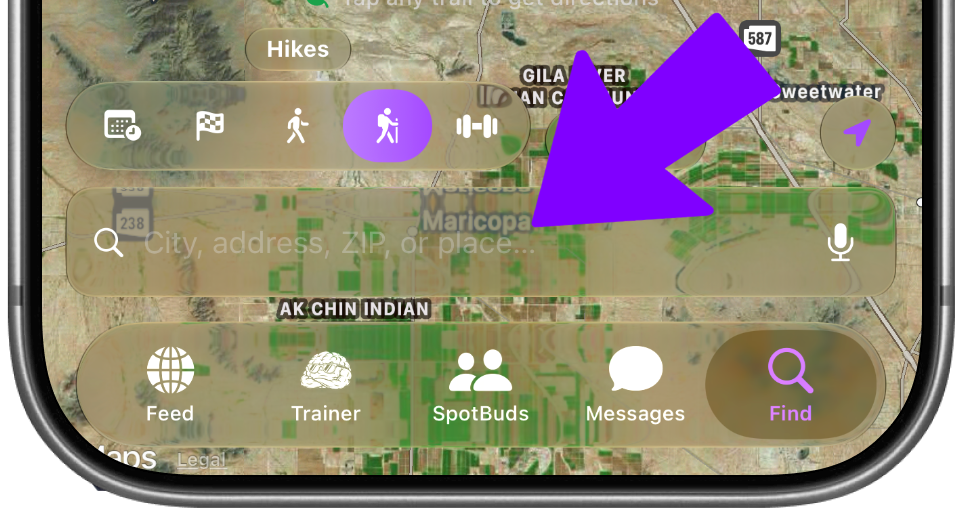
Look anywhere, not just where you are
Use "City, address, ZIP, or place…" to jump the map anywhere planning a trip, or checking out a new neighborhood.
Tap the 🎤 microphone to search by voice instead of typing.
Weather Chip
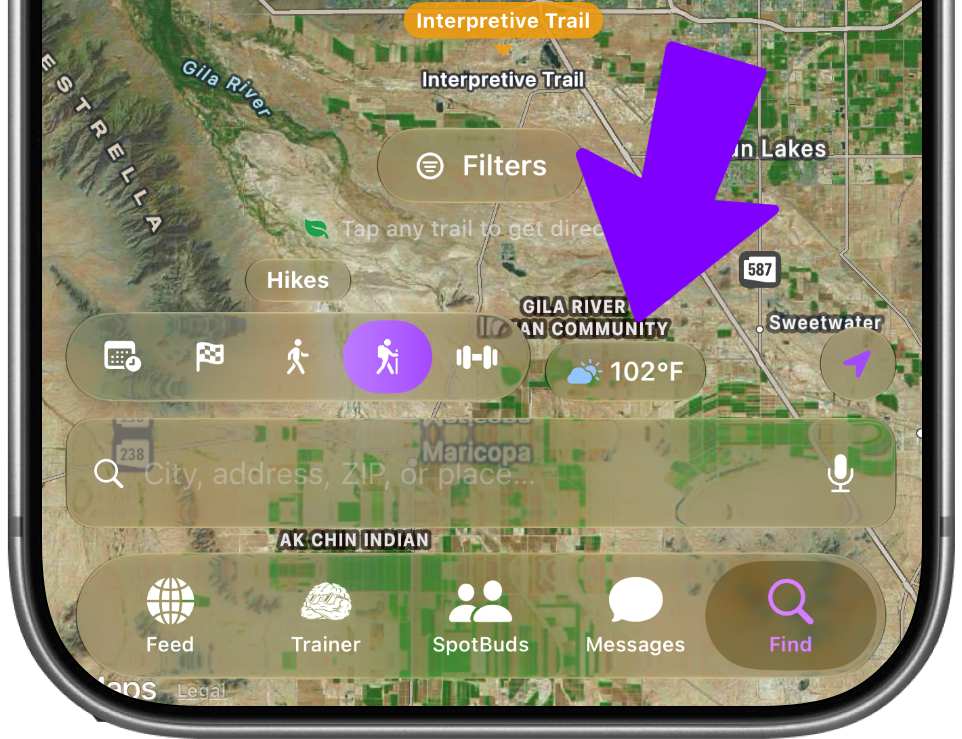
Know before you go
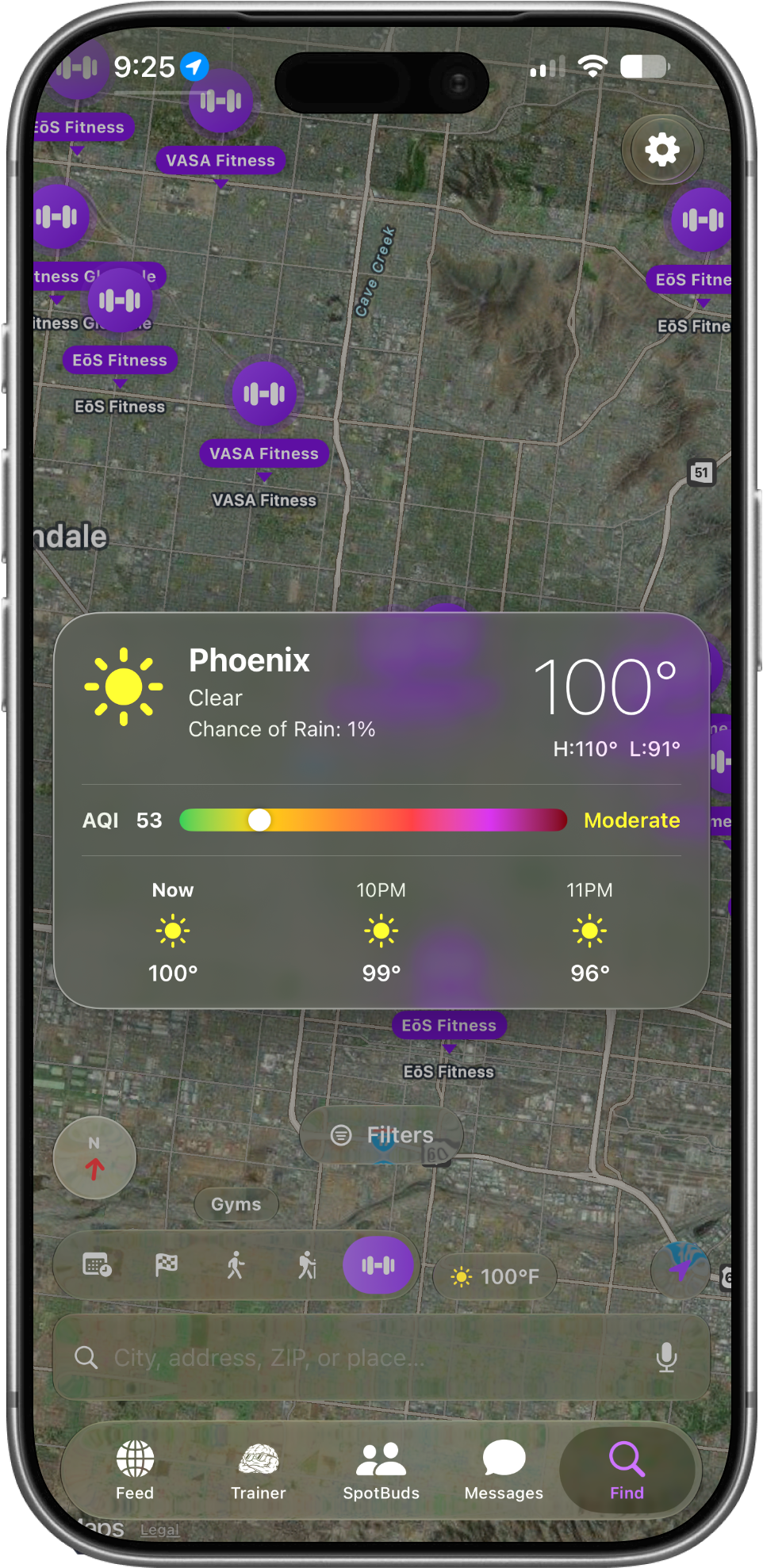
The temperature chip shows current conditions.
Tap it for the high and low, chance of rain, air quality (AQI),
and an hourly forecast so you can decide whether to run now or wait.
Settings & Recenter
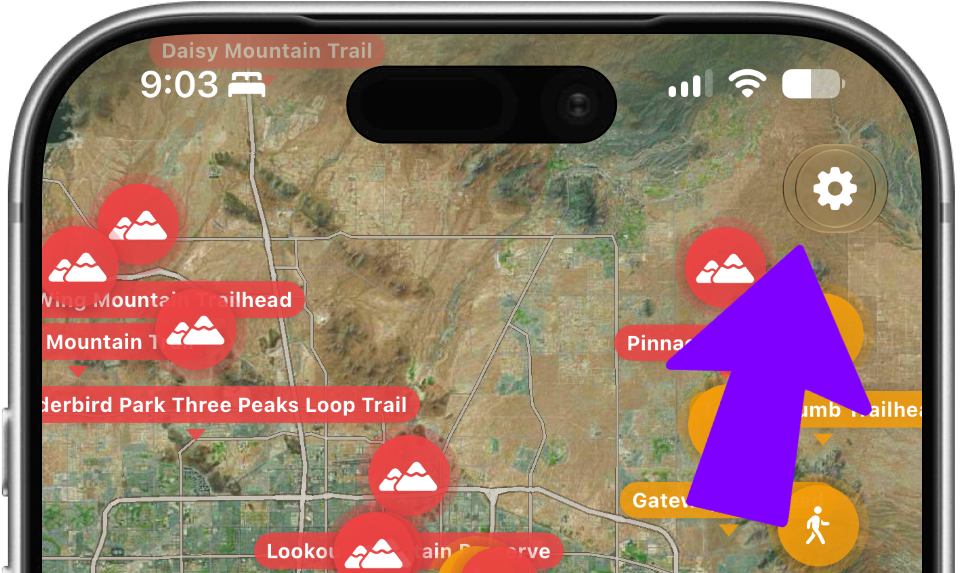
Two small buttons worth knowing
- ⚙️ Gear (top right) — your app settings
- ➤ Arrow (bottom right) — snaps the map back to your location after you've panned around